You can change the default nameservers in your WHM Root Account.
Note: Root access is required. You cannot access it with a WHM Reseller account.
1. Log in to your WHM Root Account.
2. Go to Server Configuration >> Basic WebHost Manager Setup or type Basic in the menu filter box. The option will appear. Click on it.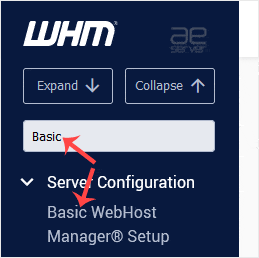
3. Scroll to the end of the page. Under Nameservers, enter your Nameservers in the text field. 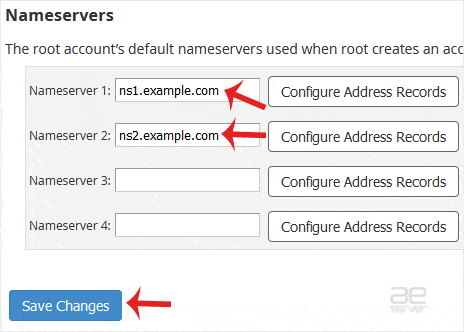
4. Click on Save Changes.
The nameservers will be changed successfully.




