An Alias domain, formerly known as a parked domain, lets you create a mirror of your primary domain. This means visitors using the new address will see the same content as your main website.
Note: The domain you want to use as an Alias must have its DNS records pointed to our server.
1. Log in to your cPanel account.
2. In the Domains section, click on Domains.
3. Click on Create A New Domain.
4. In the Domain field, enter the domain name you want to set as an Alias. Make sure the Share document root option is selected.
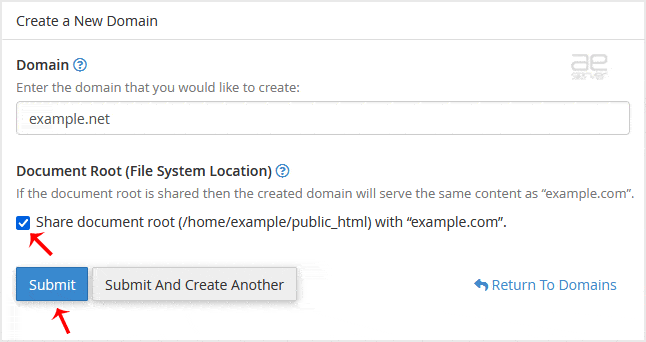
5. Click on Submit.
Congratulations! You should see a message confirming your alias domain has been successfully created.




