1. Log in to your cPanel account.
2. In the Databases section, click on phpMyAdmin.
3. Click on the Expand icon from the navigation tree in the left sidebar.
4. Select the appropriate table you want to edit. If you wish to change the blog name of WordPress, then select “wp-options”.
5. Click on Edit in the third row.
6. Modify the text value and then click on Go.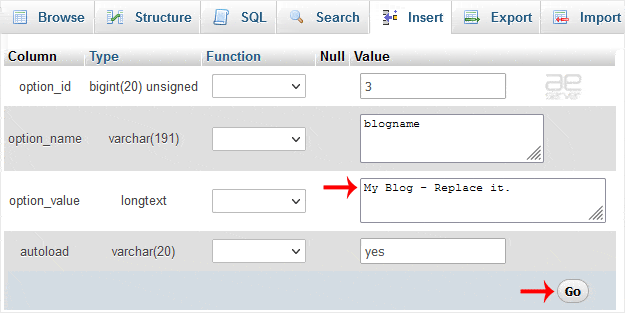
By doing that, you can change the value of SQL data of any software without accessing the administration area. For example, if you can’t change the theme from the administration area, you can use this method to change the value of SQL data.




