1. Log in to your cPanel account.
2. In the Domains section, click on Redirects.
3. Under Add Redirect, you should enter the following details and choose the appropriate options.
- Type: Choose Permanent (301) or Temporary (302).
- https?://(www.)?: Choose the Subdomain to redirect. You can also redirect a specific page.
- Redirects to: Points to where you want to redirect your current subdomain.
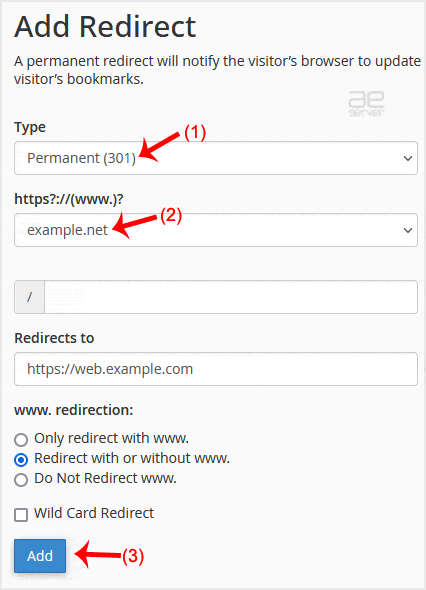
4. Click on Add.
Congratulations! You have successfully created a redirect for your subdomain.




