You can blacklist an IP Address to deny access to your website.
1. Log in to your cPanel account.
2. In the Security section, click on IP Blocker.

3. Under the Add an IP or Range, you should enter the IP Address you want to block.
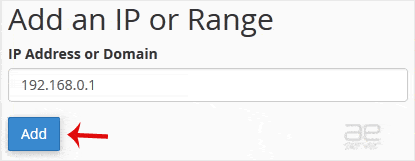
4. Click on Add.
Here is Example:
Single IP Address: 192.168.0.1
Range: 192.168.0.1-192.168.0.40
Implied Range: 192.168.0.1-40
CIDR Format: 192.168.0.1/32
Implies 10.*.*.* — 192.




