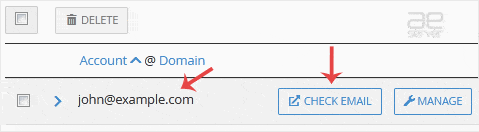
To create a new email address, perform the following steps:
1. Log in to your cPanel account.
2. In the Email section, click on Email Account. 
3. Click on +Create. You can find this on the right-hand side.
4. Under Create An Email Account, fill up the following details:
Domain: Select the appropriate domain from the drop-down list if you have more than one domain.
Username: Enter a username such as your first name.
Security: Select Set password now, enter a password, or use a generator to generate one.
Optional Settings: Click on Edit Settings to expand. In the Storage space option, enter the amount of storage space or select the Unlimited option.
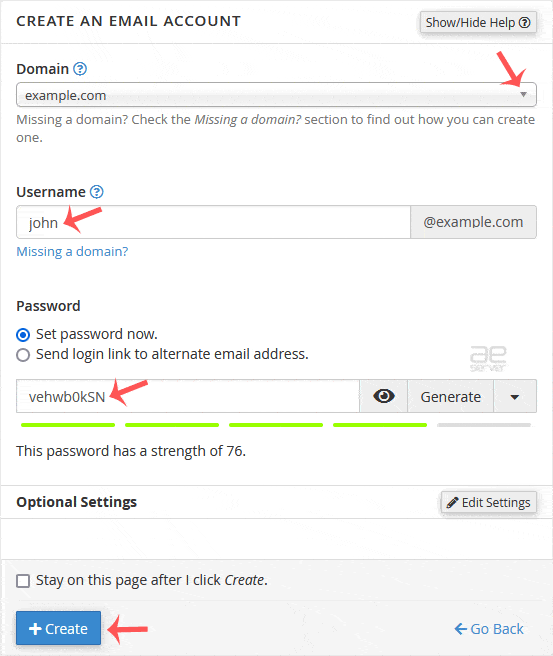
5. Click on Create.
Once your email account is created, it will appear under the Account & Domain tab.