If you want to delete an FTP account, you can accomplish it by following this tutorial.
1. Log in to your cPanel account.
2. In the Files section, click on FTP Accounts.

3. Under the FTP Accounts list, choose Delete.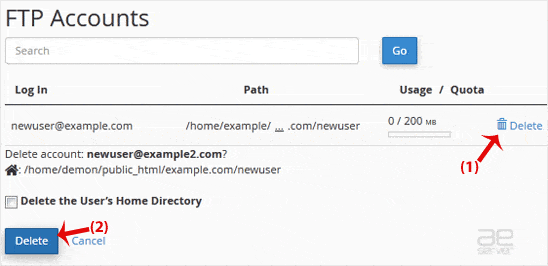
4. Click on Delete once again to confirm and remove the FTP account.
Warning: Do not use the Delete the Users Home Directory option. Otherwise, the data inside your FTP user account will also be deleted and will become unrecoverable unless you restore it with a backup.




