View Categories

How to Edit a File in the Plesk File Manager

< 1 min read

1. Log in to your Plesk account.

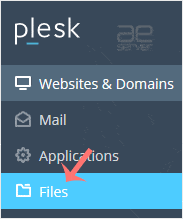
2. Click on Files from the Sidebar Menu.
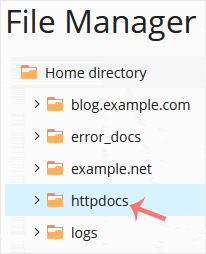
3. Under File Manager, enter the httpdocs directory.
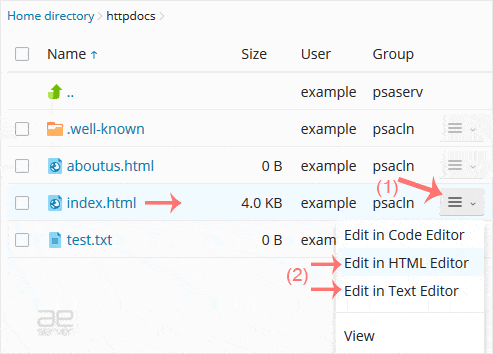
4. Hover over the file. The corresponding line will be highlighted. Next, click on the Menu Icon , located at the end of the line, and the Context Menu will open. Click on Edit In HTML Editor or choose any other suitable editor.

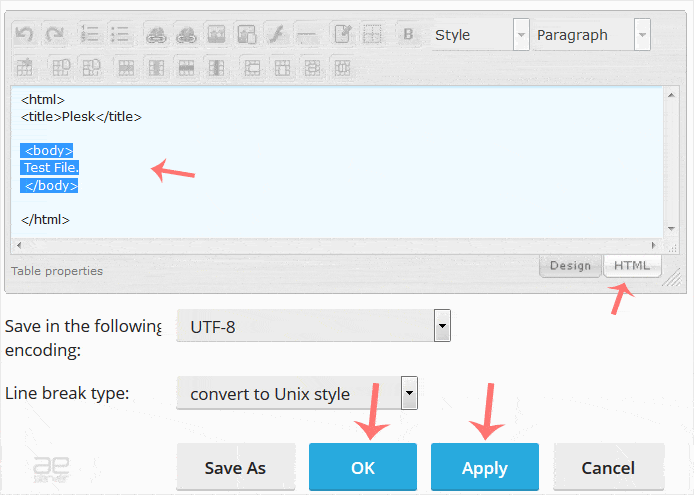
5. Make changes to your file and confirm with OK.
.ae Price
.bh Price
icon-qa
Google_Cloud_Partner_UAE
icon-microsoft
cpanel uae partner logo
icon-ripe-ncc.svg
⚡ Build a WordPress site with AI in minutes with Spark AI - On Sale 50% off this month.
This is default text for notification bar