View Categories

How to Remove an Add-on Domain in cPanel

< 1 min read

1. Log in to your cPanel account.

2. In the Domains section, click on Domains.


3. Locate the addon domain you want to remove and click Manage next to it.
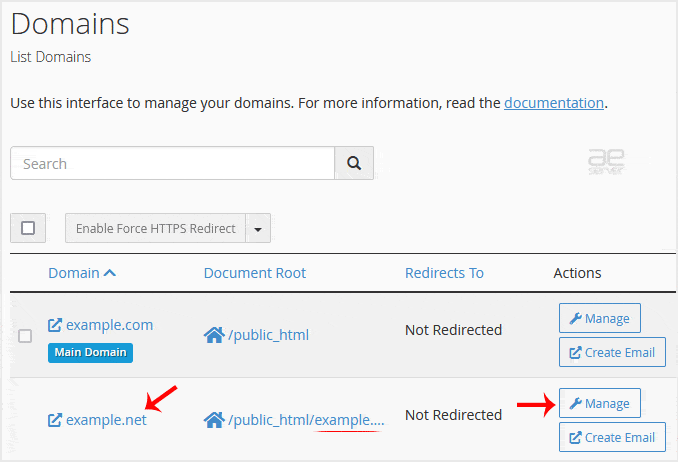
4. Scroll down, click on Remove Domain, and confirm the removal.

You should see a message that your addon domain has been removed.

.ae Price
.bh Price
icon-qa
Google_Cloud_Partner_UAE
icon-microsoft
cpanel uae partner logo
icon-ripe-ncc.svg
⚡ Build a WordPress site with AI in minutes with Spark AI - On Sale 50% off this month.
This is default text for notification bar

