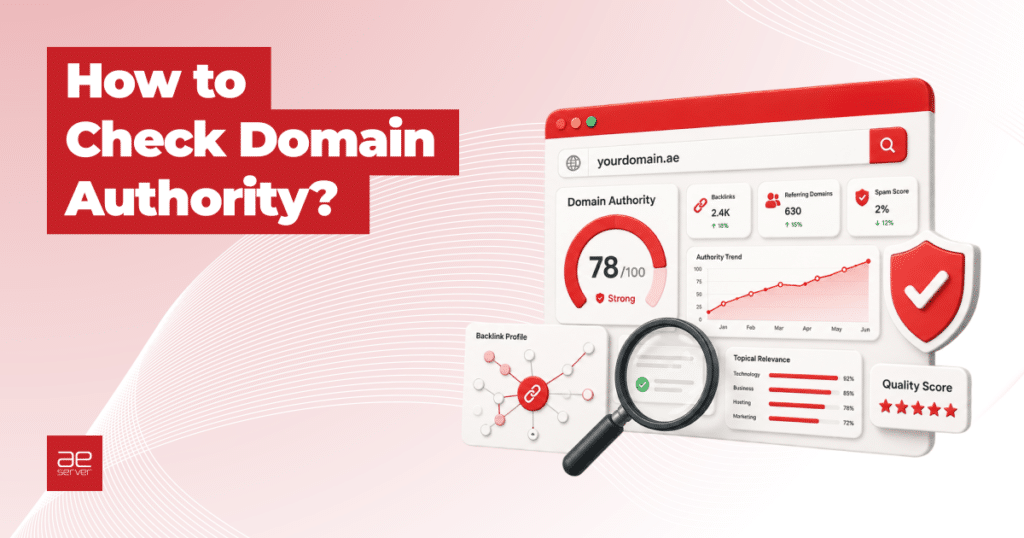

If you have ever tried to improve your website’s SEO, you have probably come across terms like Domain Authority (DA), Domain Rating (DR), or Authority Score (AS). These scores are the quickest way to get a sense of how “strong” a website looks to search engines, and they are used every day for competitor research, link building, buying expired domains, and tracking SEO progress.
In this guide we will show you exactly how to check domain authority for any website, which free and paid tools actually work, what values are considered normal, and (very important) how to spot domains with fake or artificially inflated authority scores. If you plan to buy backlinks, evaluate a domain for purchase, or partner with a site for guest posting, this section alone can save you a lot of money.
What Is Domain Authority, Exactly?
Domain Authority is a third-party SEO metric that predicts how well a website is likely to rank in search results, based mostly on its backlink profile. The term “Domain Authority” was originally coined by Moz, but today almost every major SEO platform has its own version of it under a different name.
The single most important thing to understand: none of these scores are used by Google. Google has said this clearly and repeatedly. They are third-party estimates, which means they are useful as comparative benchmarks but should never be treated as ranking guarantees.
| Metric | Tool | What it measures |
|---|---|---|
| Domain Authority (DA) | Moz | Predicts ranking strength based on link profile and spam signals. Scale 1 to 100, logarithmic. |
| Domain Rating (DR) | Ahrefs | Strength of backlink profile based on quantity and quality of referring domains. Scale 0 to 100. |
| Authority Score (AS) | Semrush | Combines backlinks, organic traffic, and spam signals. Considered one of the most manipulation-resistant scores. |
| Page Authority (PA) | Moz | Same idea as DA, but for a single page rather than the whole domain. |
| URL Rating (UR) | Ahrefs | Page-level equivalent of DR. Useful for evaluating specific landing pages or guest post opportunities. |
| Trust Flow / Citation Flow | Majestic | TF measures link quality (proximity to trusted seed sites). CF measures link quantity. The TF/CF ratio reveals manipulation. |
| Spam Score | Moz | Percentage estimate of how spammy a domain’s backlink profile looks. Under 5 percent is healthy. |
Why Checking Domain Authority Matters
Domain authority scores are not just vanity numbers. When used correctly, they help you make real decisions:
Track your own SEO progress
Checking your DA or DR every month shows whether your link building and content efforts are actually moving the needle. A slow but steady climb is the signal you want to see.
Benchmark against competitors
Look up the top 3 to 5 sites ranking for your target keywords. If they sit at DA 45 to 55 and you are at DA 22, you know exactly how large the gap is and how much work it will take to close it.
Evaluate link-building opportunities
Before you spend time or money getting a link from another site, check its authority. A backlink from a DA 60 site passes far more value than one from a DA 8 site. More importantly, check for red flags (more on that below) so you do not pick up a toxic link.
Vet expired or premium domains before buying
Domain investors and SEOs often buy premium domains or expired domains to get a head start with existing link equity. But many of these domains have inflated metrics. Checking authority properly (with all the red flags in mind) is essential before you spend real money.
Decide whether to accept or reject guest posts
If someone pitches a guest post to your site, a quick DA and Spam Score check tells you whether you actually want their link in your content.
Best Free Domain Authority Checkers
You do not need a paid subscription to get started. All the major SEO platforms offer free limited versions of their authority checkers, and there are several solid third-party tools too. Here are the ones that actually work well today.
🥇 Moz Domain Authority Checker (the original)
Moz invented the concept of Domain Authority, so their tool is still the most recognized. You can use it for free by signing up for a Moz Community account, which gives you a limited number of queries per month.
URL: moz.com/domain-authority or through moz.com/link-explorer
What you get for free: Domain Authority, Page Authority, Spam Score, linking domains, top pages, and top anchor text. The free tier allows roughly 10 queries per month with 50 rows of data per query, which is enough for occasional checks.
Best for: Anyone who wants the classic, most widely recognized authority score in the SEO industry.
🥈 Ahrefs Website Authority Checker
Ahrefs offers a free Domain Rating checker that does not require any registration for basic lookups. Because Ahrefs has one of the largest backlink databases in the world, many SEOs consider their DR the most reliable quick-check metric.
URL: ahrefs.com/website-authority-checker
What you get for free: Domain Rating, total backlinks, total referring domains, dofollow link ratio. For deeper data (like the top 100 backlinks) you can use Ahrefs’ separate free Backlink Checker.
Best for: Fast, no-signup domain checks. Great for quickly evaluating a batch of link prospects.
🥉 Semrush Website Authority Checker
Semrush’s free Authority Score tool is powered by the same data their paid customers use. What makes it special is that it combines three factors: link power, organic traffic, and spam signals. This makes it harder to manipulate than pure backlink-based scores.
URL: semrush.com/free-tools/website-authority-checker/
What you get for free: Authority Score, backlink count, referring domains, organic traffic estimates, and spam signal analysis. Free Semrush accounts get 10 domain analytics queries per day, which is very usable.
Best for: People who want a single score that already factors in traffic and spam, not just raw link counts.
🎯 Ubersuggest (Neil Patel)
Ubersuggest has its own version of Domain Authority called “Domain Score” (powered by Moz data). The free tier is limited to a few searches per day but works well for basic checks.
URL: neilpatel.com/seo-analyzer/ or app.neilpatel.com
What you get for free: Domain Score, organic traffic estimates, backlink counts, top pages, and keyword rankings in one dashboard.
Best for: Beginners who want authority data alongside keyword and traffic estimates in one place.
🔍 Mangools SiteProfiler
Mangools is often called “budget Ahrefs”. SiteProfiler is their free domain authority tool that combines Moz DA, Majestic TF/CF, and other metrics.
URL: mangools.com/siteprofiler/
Best for: Beginners who want a clean, easy-to-read dashboard with both Moz and Majestic data side by side.
📊 Bulk Free DA/DR Checkers
If you need to check dozens of domains at once (for example, when auditing a list of link prospects), single-query tools are too slow. These bulk checkers work well:
| Tool | Free Limit | What it shows |
|---|---|---|
| SmallSEOTools DA Checker | Up to 5 URLs at once, free | DA, PA, Moz Rank, IP, referring domains |
| The HOTH Bulk DA Checker | Free with account | Moz DA, PA, MozRank, external links |
| SEO Review Tools | Up to 10 URLs, free | DA, PA, backlinks, social shares (powered by Semrush API) |
| Loganix DA Checker | Up to 10 domains per 24 hours | DA, DR, referring domains, results emailed to you |
| DA PA Checker (dapachecker.org) | Up to 5 URLs free, 1000 paid | DA, PA, DR, UR, Spam Score, domain age |
Best Paid SEO Tools for Serious Authority Analysis
Free tools are great for occasional checks. But if you are doing SEO professionally, managing multiple projects, or building links at scale, you will quickly hit the limits. Here are the leading paid platforms with current pricing.
Ahrefs
Ahrefs has one of the largest and fastest-updating backlink databases in the industry. Their DR is the default filter most SEO professionals use when evaluating link prospects.
| Plan | Monthly Price | Best for |
|---|---|---|
| Lite | $129/mo | Solo SEOs, small sites, basic tracking |
| Standard | $249/mo | Most SEO agencies and in-house teams |
| Advanced | $449/mo | Larger agencies managing many clients |
| Enterprise | Custom | Big agencies and enterprises |
Semrush
Semrush is the “all-in-one” platform. Besides Authority Score, it covers keyword research, PPC data, content marketing, and more. Great if you want one tool that does everything.
| Plan | Monthly Price | Best for |
|---|---|---|
| Pro | $139.95/mo | Freelancers and small teams (up to 5 sites) |
| Guru | $249.95/mo | Growing agencies, content-focused teams |
| Business | $499.95/mo | Large agencies needing API access and white-label reports |
Annual billing typically saves roughly 17 percent on all Semrush plans.
Moz Pro
Moz Pro is often the most affordable professional option for small businesses that just want the classic DA and basic SEO tools.
| Plan | Monthly Price | Best for |
|---|---|---|
| Starter | $49/mo ($39 annual) | Solopreneurs, 1 site, 50 keywords |
| Standard | $99/mo ($79 annual) | Small businesses, 3 sites, 300 keywords |
| Medium | $179/mo ($143 annual) | Agencies with multiple clients |
| Large | $299/mo ($239 annual) | Larger agencies, 25 sites, 3000 keywords |
Ubersuggest
Ubersuggest remains the budget-friendly choice for small businesses and bloggers who want authority checks alongside keyword research.
| Plan | Monthly Price | Best for |
|---|---|---|
| Individual | $12/mo | 1 website, solo users |
| Business | $20/mo | 2 to 7 websites |
| Enterprise | $40/mo | 8 to 15 websites, agencies |
A lifetime plan is also sometimes offered from around $290 one-time, which can be great value if you are sure you want to stick with the tool.
How to Check Domain Authority Step by Step
Let us walk through the two most common workflows: checking a site’s DA with Moz, and checking its DR with Ahrefs. Both are free and take about 30 seconds.
Method 1. Checking DA with Moz Link Explorer
Go to Moz Link Explorer
Open moz.com/link-explorer in your browser. If you are not logged in, you will need to create a free Moz Community account to use the tool. It takes under a minute.
Enter the domain or URL
Paste the website you want to check into the search bar. You can enter either the root domain (like example.com) or a specific page URL. Click Analyze.
Review the key metrics
Moz will display a dashboard with four numbers that matter most:
Domain Authority (DA): The overall score from 1 to 100. Page Authority (PA): The score for the specific URL you entered. Linking Domains: How many unique websites link to this domain. Spam Score: A percentage showing how spammy the backlink profile looks.
Dig into the backlink data
Scroll down to see top linking domains, top anchor text, and top pages. This is where you really start to understand whether the DA is “real” or whether something is off (see the red flags section below).
Method 2. Checking DR with Ahrefs Website Authority Checker
Visit the free Ahrefs tool
Go to ahrefs.com/website-authority-checker. No account needed for basic lookups.
Enter the domain
Type the domain you want to evaluate (for example aeserver.com) and click the Check Authority button. Complete the captcha if prompted.
Read the results
You will see Domain Rating, total backlinks, total referring domains, and the dofollow percentage. For more detail, you can use the separate free Ahrefs Backlink Checker, which shows the top 100 backlinks and anchor text distribution.
What Is a “Normal” or “Good” Domain Authority Score?
This is probably the most common question asked by site owners, and the honest answer is: it depends on your industry. There is no universal “good” number. A DA of 30 can be excellent for a local plumbing company, and laughable for a national SaaS brand. That said, here are the realistic benchmarks most SEO professionals agree on.
General DA/DR Ranges
| Score Range | What it means |
|---|---|
| 1 to 20 | New websites, personal blogs, or sites with almost no backlinks. Normal for a domain less than 6 to 12 months old. |
| 20 to 40 | Established small business sites. Moderate authority, can rank for low-competition keywords. This is where most real sites sit. |
| 40 to 60 | Strong authority. Competitive in most niches. Consistent SEO investment over years. |
| 60 to 80 | Highly authoritative. Industry leaders, major trade publications, established SaaS brands. |
| 80 to 100 | The elite of the internet. Wikipedia, YouTube, major news publishers, global brands. Scores above 90 are rare. |
Industry Benchmarks
The real question is not “what is a good DA?” but “what DA do I need to compete in my niche?” Rough industry benchmarks to rank on page 1 of Google:
| Industry / Niche | Typical DA needed to compete |
|---|---|
| Local services (plumbers, HVAC, dentists) | DA 25 to 35 |
| B2B / small SaaS | DA 30 to 50 |
| Ecommerce (niche products) | DA 40 to 55 |
| Tech blogs and review sites | DA 45 to 60 |
| National SaaS | DA 55 to 70 |
| Finance / Insurance / Legal (YMYL) | DA 58 to 75+ |
| Healthcare (YMYL) | DA 43 to 55 (top 10% need DA 75+) |
| News publishers | DA 70 to 90 |
⚠️ Red Flags: How to Spot Fake or Inflated Domain Authority
This is the section you absolutely cannot skip, especially if you plan to buy backlinks, purchase an expired domain, or evaluate guest post offers. A very large percentage of high-DR sites on link marketplaces today have artificially inflated scores. The number looks impressive, but the ranking power is zero, or worse, the link is actively dangerous.
Google’s SpamBrain algorithm is very good at detecting these patterns. A link from a manipulated site will not help you rank, and it may trigger a manual action or algorithmic penalty against your own site. Here is what to check before trusting a score.
Red Flag #1: High DR but No Organic Traffic
This is the single biggest giveaway. Pull up the domain in Ahrefs or Semrush and look at its estimated monthly organic traffic. A legitimate DR 60 site should be getting thousands to tens of thousands of monthly visitors from Google. If a DR 70 site gets fewer than 500 visitors per month, something is very wrong.
A high score with no traffic means Google has already decided not to trust the site, even though third-party tools still see the backlinks. The manipulation worked on the metric but not on Google.
Red Flag #2: Spam Score Above 5%
Moz calculates a Spam Score from 0 to 100 percent based on suspicious backlink patterns. A healthy site sits at 1 to 4 percent. Anything above 5 percent starts to look concerning. Above 15 percent, stay away entirely.
Red Flag #3: Suspicious Anchor Text Distribution
Open the site’s top anchor text list (available in Ahrefs, Semrush, and Moz). A natural backlink profile looks roughly like this: 70 percent branded or URL anchors (like “aeserver.com” or “AEserver”), 20 percent generic anchors (“click here”, “read more”, “this site”), and about 10 percent keyword-related anchors.
If you see the same exact-match keyword anchor repeated hundreds of times (for example, the phrase “buy backlinks UAE” appearing 250 times across different referring sites), that is a massive red flag. Real editorial links never pile up on the same keyword like that.
Red Flag #4: Dofollow Link Ratio Above 90%
Natural backlink profiles include a healthy mix of dofollow and nofollow links. Social media, forum comments, and most news mentions are nofollow by default. When a site’s dofollow ratio is 90 percent or higher, it almost always means someone is paying for links, because commercial placements are usually set to dofollow.
Red Flag #5: PBN (Private Blog Network) Patterns
PBNs are networks of websites created solely to link to each other and pump up metrics. Common PBN signals you can spot for free:
Shared IP addresses between many referring domains. A bulk WHOIS tool or Ahrefs’ referring IP report will show this. Lots of links from the same handful of IPs is highly suspicious. Common referring domains across supposedly “unrelated” sites that all link together. Identical content templates and outdated designs. Multi-topic sites publishing unrelated articles on personal finance, fitness, tech, and cannabis in the same blog. Real sites stick to one niche.
Red Flag #6: Sharp DR Growth in a Short Time
Ahrefs and Semrush show historical DR graphs. A legitimate site’s DR grows slowly and steadily over months and years. If you see DR jump from 15 to 65 in three months, that is not natural. It almost always means someone bought or pointed redirects from expired high-DR domains to fake the score.
Red Flag #7: Redirect Chain Inflation
This is one of the most common manipulation techniques today. Someone buys expired domains that still have backlinks and redirects them to a target site. The target’s DR climbs quickly because Ahrefs sees the new referring domains, but the “authority” is completely hollow.
To spot this, look at how long each backlink has been alive. If most top backlinks are under 6 months old on an old-looking domain, that is suspicious.
Red Flag #8: Hacked Site Links (Pharma, Casino, Adult)
Sometimes a site has genuinely high DR because real authoritative websites used to link to it, but now its content is full of injected pharma, casino, or adult spam because it was hacked. Check the referring pages. If you see a finance blog linking with anchor text like “cheap Viagra online” or “best online casino Dubai”, that is a hacked site. The link carries zero value and associating your site with it can hurt you.
Red Flag #9: Low Trust Flow vs. Citation Flow
If you have Majestic access (or a tool like Mangools SiteProfiler that shows TF/CF), compare Trust Flow to Citation Flow. A healthy ratio is TF/CF of 0.7 or higher. A ratio below 0.5 means the site has lots of low-quality links (high CF) but very little trust from reputable sources (low TF). Classic manipulation signature.
Red Flag #10: Too Many Links per Referring Domain
If a domain shows 50,000 backlinks from only 200 referring domains, that is 250 links per domain, which is not normal. Natural link profiles are wide and diverse. Manipulated ones are narrow and repeated. Always check referring domains alongside total backlinks, not one without the other.
Other Metrics Worth Checking
Domain Authority is one piece of the puzzle, but a complete evaluation includes several related metrics:
| Metric | Healthy Range |
|---|---|
| Spam Score (Moz) | 1 to 4%. Above 5% is concerning. |
| Referring Domains | At least 20 to 50 unique domains for a basic foundation. More is better. |
| Organic Monthly Traffic | Should scale with DR. A DR 40 site should see 1000+ monthly visitors from Google. |
| Trust Flow / Citation Flow Ratio | 0.7 or higher is clean. Below 0.5 suggests manipulation. |
| Dofollow / Nofollow Ratio | 60% to 85% dofollow is natural. Above 90% is suspicious. |
| Domain Age | Older is usually better, but a brand new DR 50 site is a huge red flag. |
You can check domain age and registration history with our domain checker. If you want to find out who owns a domain before contacting them about a backlink or partnership, see our guide on how to find a domain name owner.
How to Improve Your Domain Authority the Right Way
Now for the good news: improving DA legitimately is not complicated. It is slow, but it works, and the gains are real. Here are the methods that actually move the needle.
Earn editorial backlinks from relevant sites
The quality of your referring domains matters far more than quantity. Ten links from DA 60+ sites in your niche will move your DA more than 500 links from DA 10 directories. Focus on guest posts, digital PR, HARO responses, and genuine partnerships.
Diversify your referring domains
100 backlinks from a single website still counts as 1 referring domain. Prioritize getting links from new unique sites rather than piling up more links from the same few sources.
Create link-worthy content
Original research, data studies, industry reports, ultimate guides, tools, and calculators are the formats that naturally attract backlinks. A regular “tips” blog post does not get linked to by other sites.
Build strong internal linking
Internal links do not affect DA directly, but they distribute authority across your pages so your PA improves across the board. Every time you publish a new article, link it from 3 to 5 other relevant pages on your site.
Fix technical SEO issues
Slow site speed, broken links, missing meta tags, and indexation problems all signal low quality. Run a site audit every month and fix high-priority issues. For a deeper walkthrough of the technical foundations, see our practical SEO guide for UAE businesses.
Disavow toxic backlinks
If you ever inherit a site with spammy historical links, or someone launches a negative SEO attack on you, use Google Search Console’s Disavow Tool to tell Google to ignore those links.
Be patient
DA moves slowly. A well-executed SEO campaign typically shows measurable DA growth after 6 to 12 months of consistent work. Anyone promising to “boost your DA to 50 in 30 days” is selling you manipulation, not authority. That is the exact thing Google now penalizes.
Summary: Your Domain Authority Checklist
Here is the quick checklist to run any time you need to evaluate a domain, whether it is your own, a competitor’s, or a potential link prospect.
- Pick one primary tool, Moz, Ahrefs, or Semrush, and stick with it for consistent comparisons.
- Check the headline score, DA, DR, or AS, but do not stop there.
- Verify organic traffic matches the authority score. High DR with no traffic is the biggest red flag.
- Review referring domains for diversity, not just total backlinks.
- Check the Spam Score. Anything above 5% deserves a closer look.
- Inspect top anchor text for exact-match keyword spam.
- Look at the dofollow ratio. Above 90% means paid links.
- Review historical DR growth. Sharp jumps are almost always manipulation.
- Compare against competitors in your actual niche, not against industry giants.
- Remember, DA is a proxy, not a Google ranking factor. Use it as a compass, not the final answer.
Ready to build a site worth linking to? Start with a strong foundation: register a memorable domain (try our AI domain name generator for ideas), get reliable web hosting in the UAE, and set up professional business email for your brand. Good SEO starts with getting the basics right.

More in Domains