Enhancing your account security is crucial. Follow the steps below to add or update your security question in AEserver:
- Sign in to your AEserver account.
- Click the dropdown arrow in the upper right corner next to your profile name.
- Select “Security Settings.”
- Choose a security question from the dropdown list.
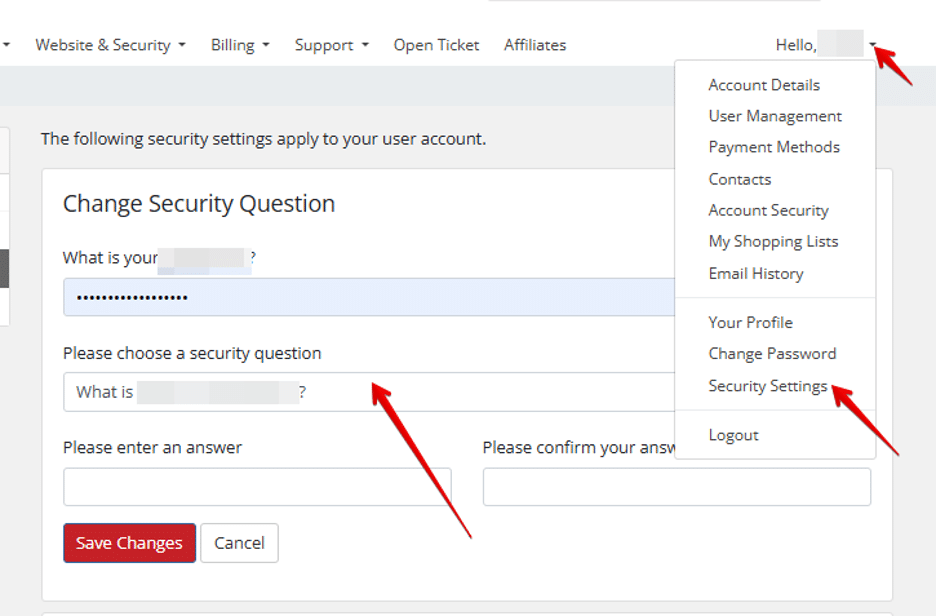
- Enter your answer and confirm it in the provided fields.
- Save Changes.
IMPORTANT:
- Never share your security question answer with anyone.
- For added security, do not use the actual answer to the chosen security question. Instead, enter a unique response that only you know.
By setting up a security question, you add an extra layer of protection to your account.




