Managing multiple invoices is quick and easy with AEserver’s Mass Payment feature. Follow the steps below to pay all your outstanding invoices at once:
- Sign in to your AEserver account.
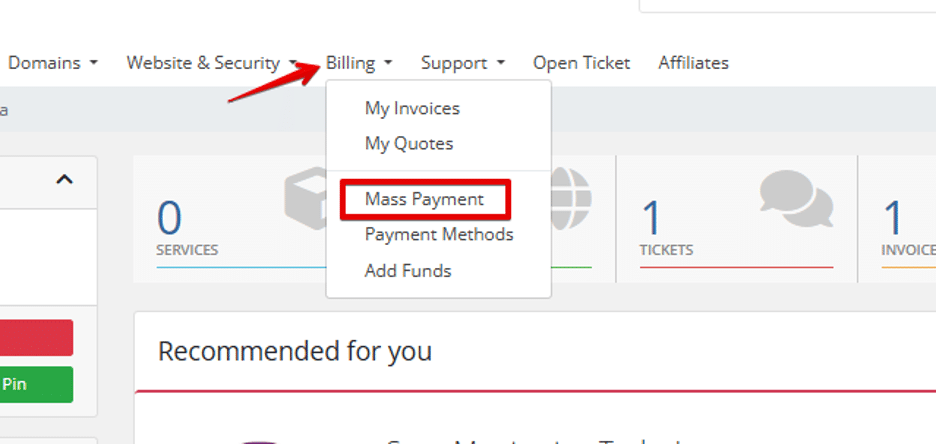
- Click on Billing from the main menu.
- Select “Mass Payment.”
- Choose your preferred payment method at the bottom of the page.
5. You will see a summary of all unpaid invoices ready for settlement.
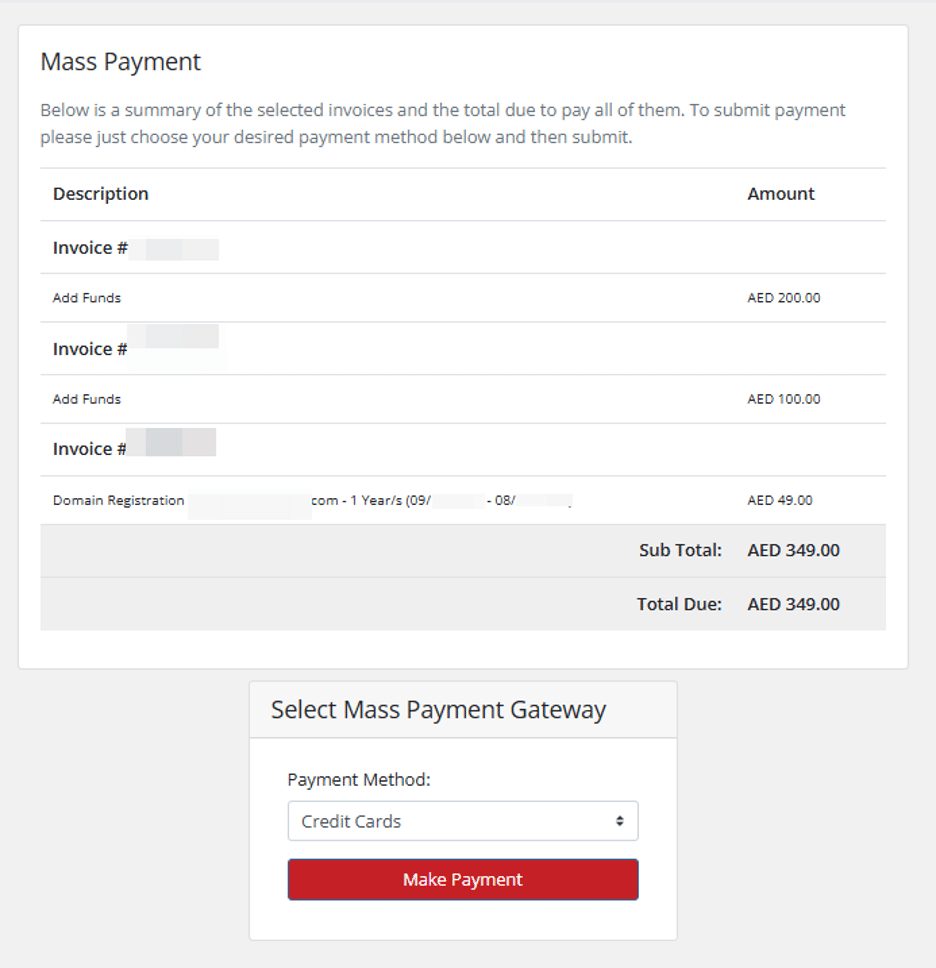
- Complete the payment process.
Once the payment is successful, all selected invoices will be marked as paid, and you will receive a confirmation email.




