Sometimes you may look up your domain’s WHOIS record and see AEserver listed as the Registrar (or Registrar of Record), even though you have never created an account with AEserver or purchased services from us directly. This article explains why this happens and what you should do next to regain access and manage your domain.
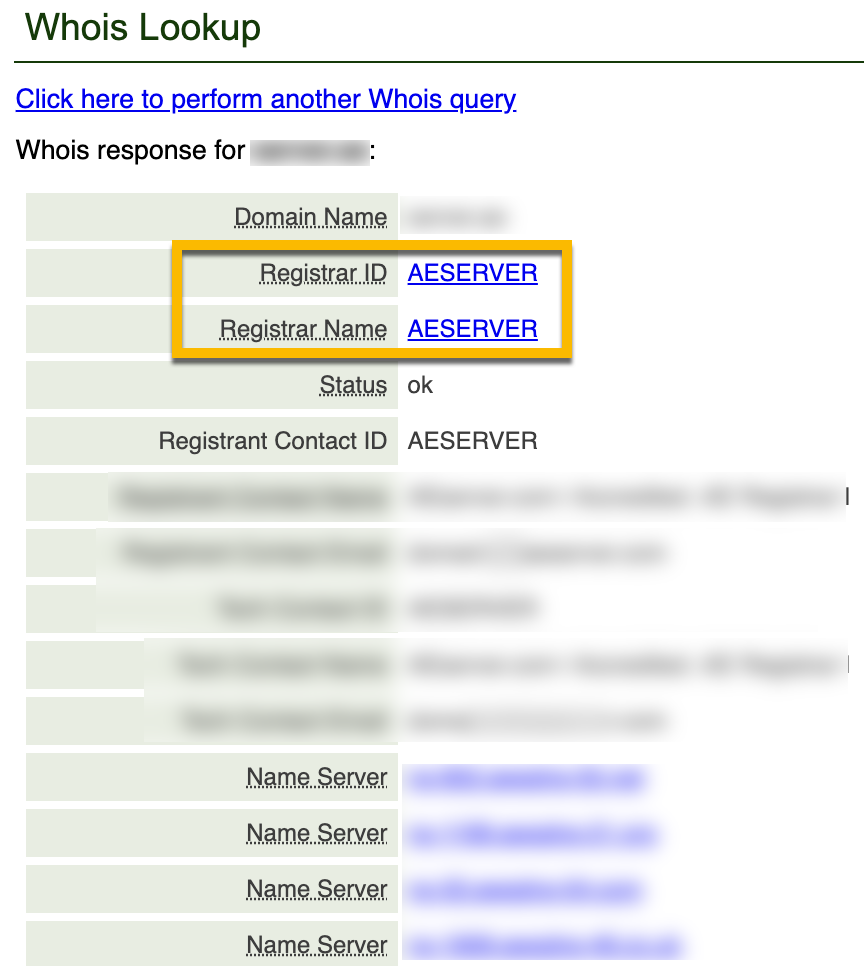
Why AEserver Appears in WHOIS If I Never Used AEserver? #
AEserver is an accredited domain name registrar that serves:
- Retail customers who register domains directly on our website under AEserver’s Terms of Service, and
- Wholesale partners (resellers) who register domains on behalf of their own customers under a reseller agreement.
Because of this reseller model, it is possible for your domain to show AEserver as the registrar in WHOIS, while your actual service relationship is with a third-party provider (the reseller you originally purchased the domain from).
Who Should Support Me in This Case? #
If you did not purchase your domain directly from AEserver, then your first line of support is the company you used to register the domain (your provider/reseller).
They are responsible for assisting you with:
- Login access to your domain account
- Domain renewals
- Name server (DNS) changes
- Contact updates (registrant/admin/tech)
- Transfers and other domain management requests
Since AEserver does not have a direct contractual relationship with you in this scenario, we may not be able to provide standard account support unless there is a breach of a reseller contract.
If I Don’t Remember the Provider I Used #
If you are unsure which company you purchased the domain from, try these steps:
- Search your email for the domain name (example:
yourdomain.ae) - Look for keywords like: invoice, receipt, domain registration, renewal, welcome email, WHOIS, EPP, transfer
- Check your payment records (bank/PayPal/card) for the merchant name
- Look for a domain license/certificate or any registration confirmation documents
Once you identify the provider, contact them and request access or credential recovery.
If the Provider Is Unreachable or Cannot Help #
If you found the provider and either:
- you cannot reach them, or
- they confirm they cannot assist you,
you can escalate the matter to AEserver by submitting a formal complaint to our Support Team.
What to include in your request #
To help us investigate efficiently, please provide:
- The domain name in question
- Evidence that you are the legal registrant/owner (supporting documents may be requested)
- Proof that you attempted to contact your provider (screenshots/emails/ticket references)
- Any supporting registration records (invoice, confirmation email, domain license, etc.)
NOTE: Your request will be rejected without a response if the above supporting documents and exact details are not provided.
Investigation Timeframe #
Requests of this type are handled as special cases outside our standard support scope and service level agreements (SLA).
- Typical investigation time: 7 to 10 business days
- We will review the information provided and respond with the available options and next steps.




